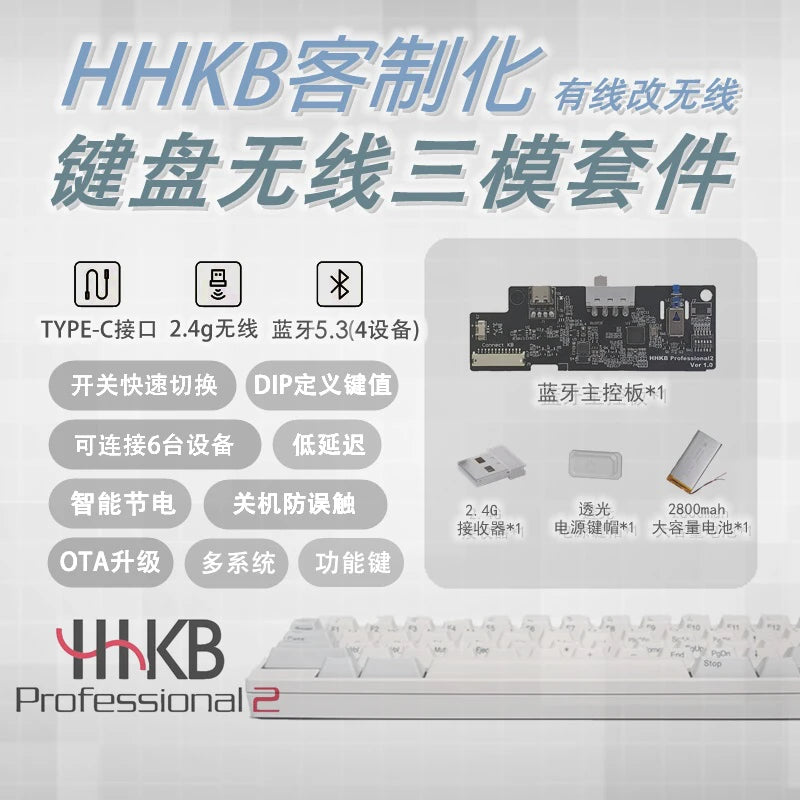
HHKB Tri-mode Wireless Kit Custom CCapacitive Keyboard Wired Bluetooth 2.4G Wireless Control Battery Receiver Kit DIY Gamers
SPECIFICATIONS
60 keyboard hhkb: 60 keyboard hhkb
Application: Desktop
Battery Included: Yes
Certification: CE
Hhkb keycap: Hhkb keycap
High-concerned chemical: None
Interface Type: Bluetooth
Keyboard Standard: 61 Keys
Language: Korean
Operation Style: Mechanical
Type: Wired
domikey hhkb: domikey hhkb
hhkb: hhkb
hhkb bluetooth: hhkb bluetooth
hhkb bottom: hhkb bottom
hhkb keyboard: hkb key cap,hhkb keyboard
hkb key cap: hkb key cap
keyboards: keyboards
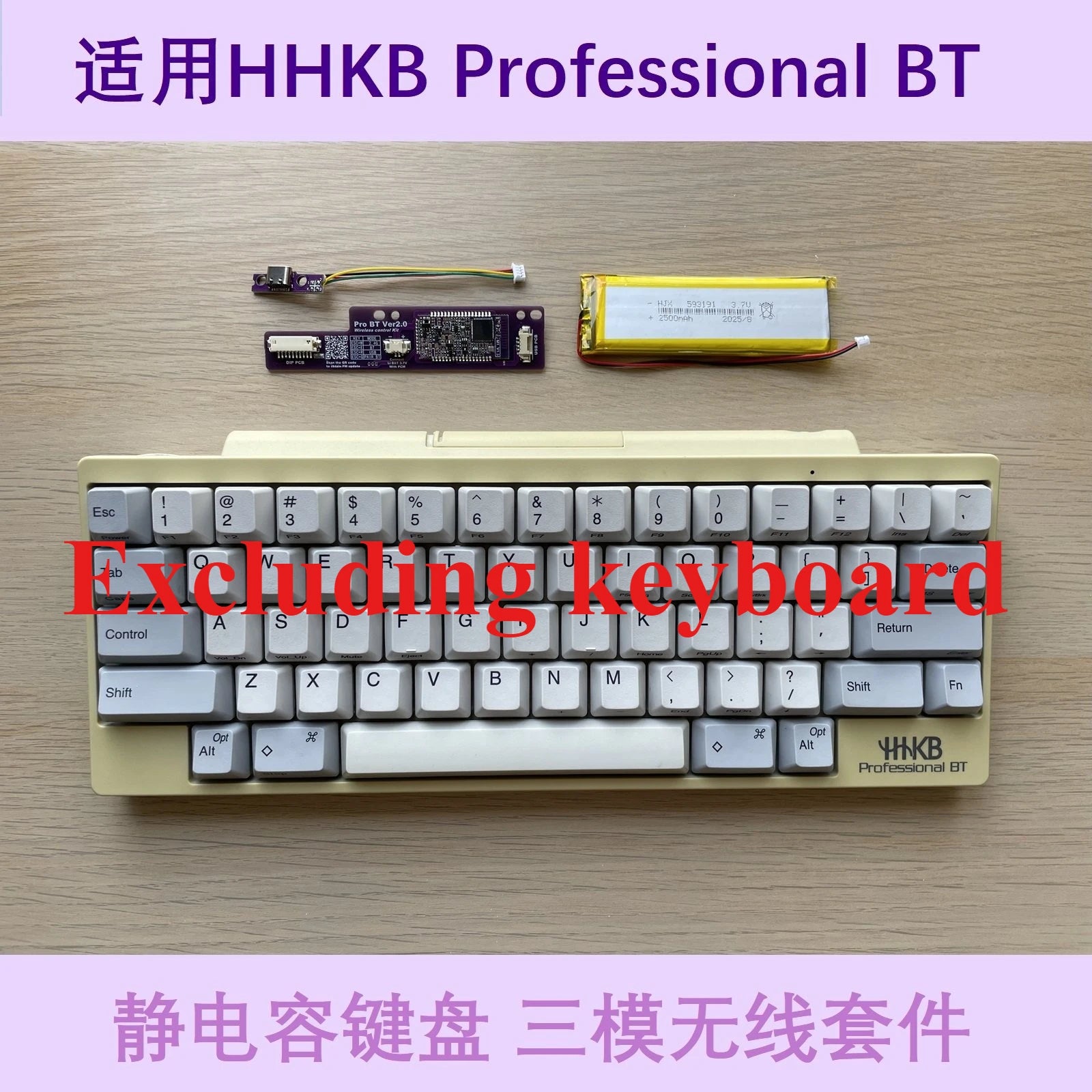
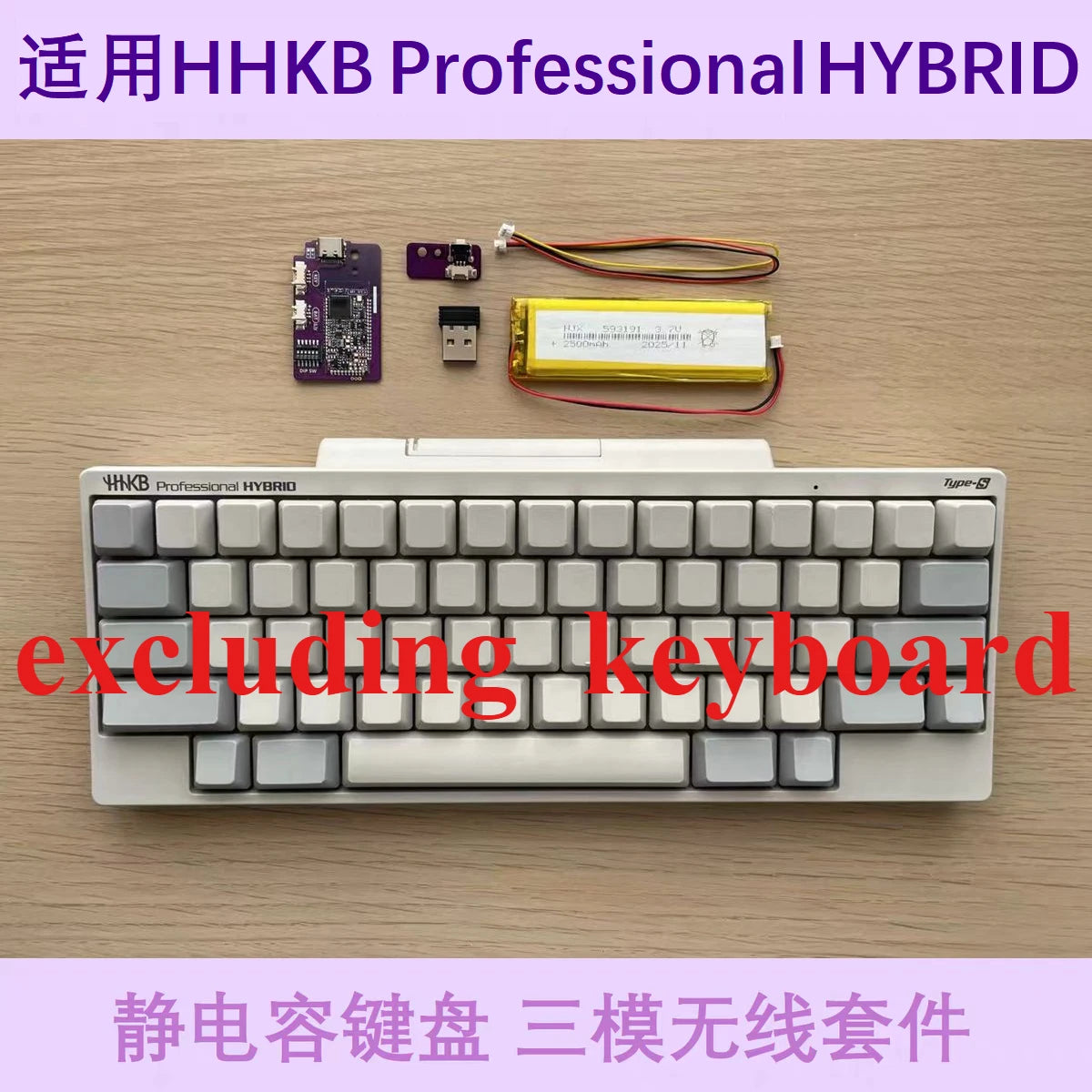
Notice before shooting: The modification kit is not a complete machine and does not include a keyboard
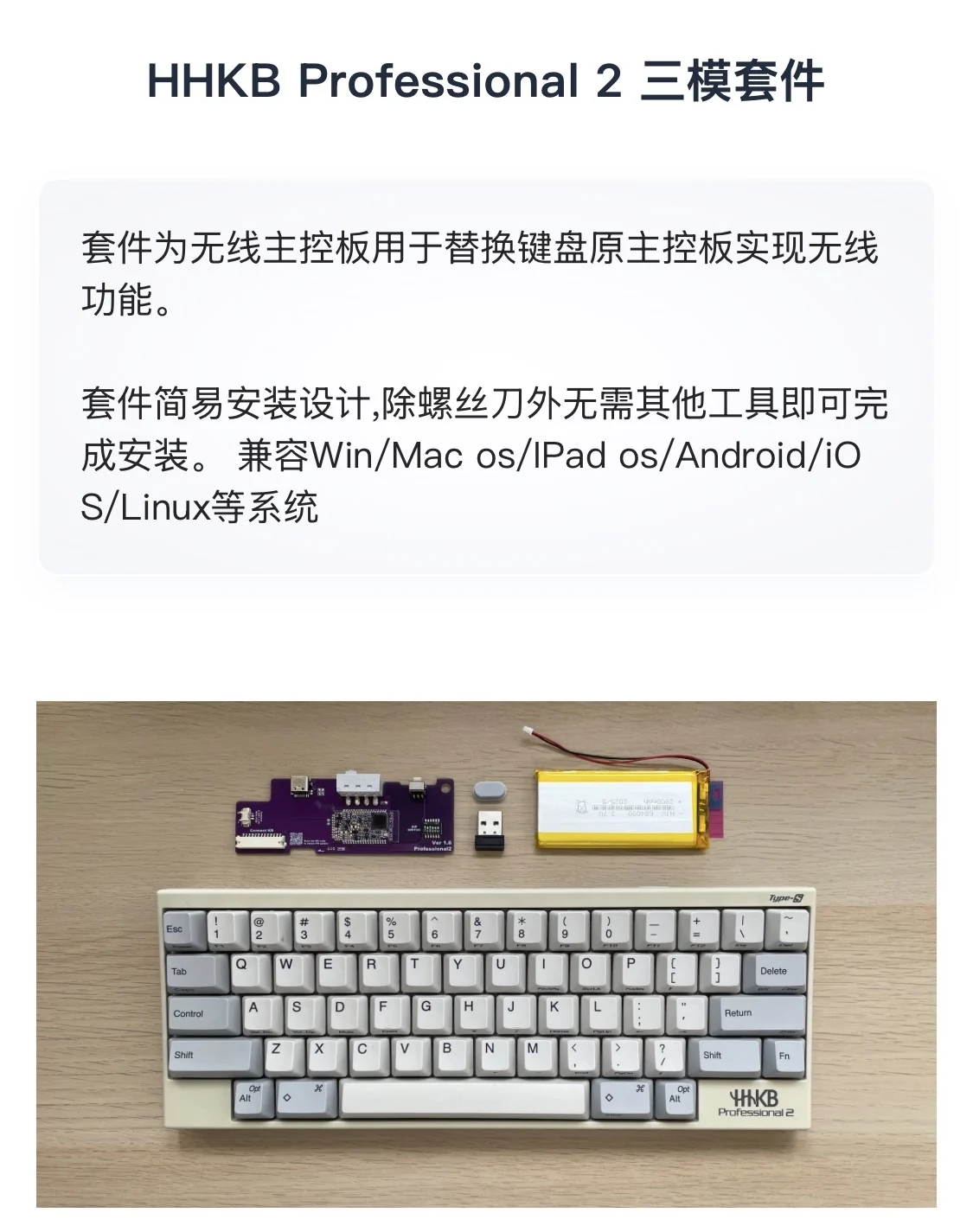
HHKB Professional 2 the third mock examination Kit
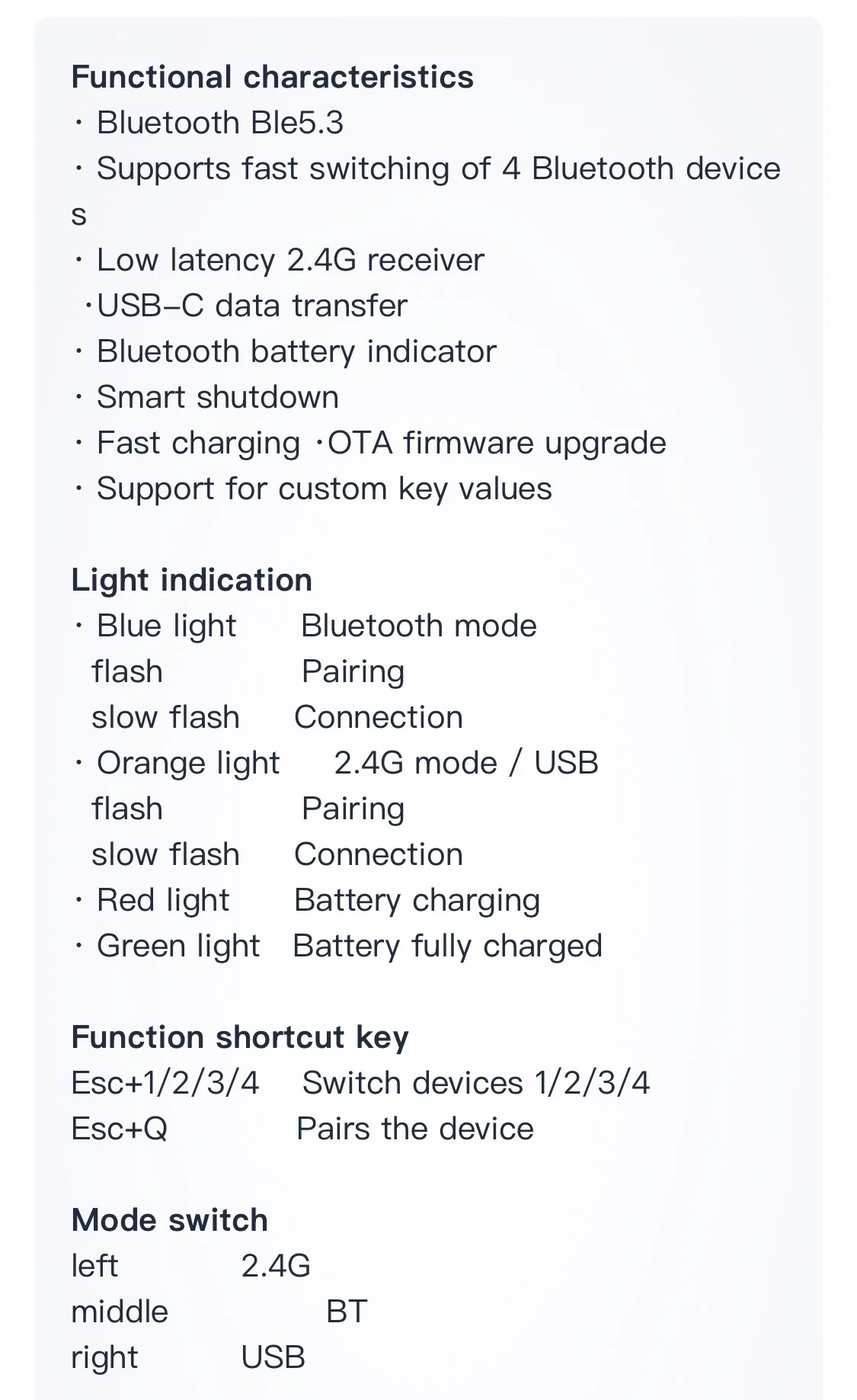
The kit is a wireless control board used to replace the original keyboard control board and achieve wireless connectivity
Function.
The kit is designed for easy installation, requiring no other tools besides a screwdriver to complete
Install it. Compatible with Windows/M ac OS/iPad OS/Android/IO
S/Linux and other systems
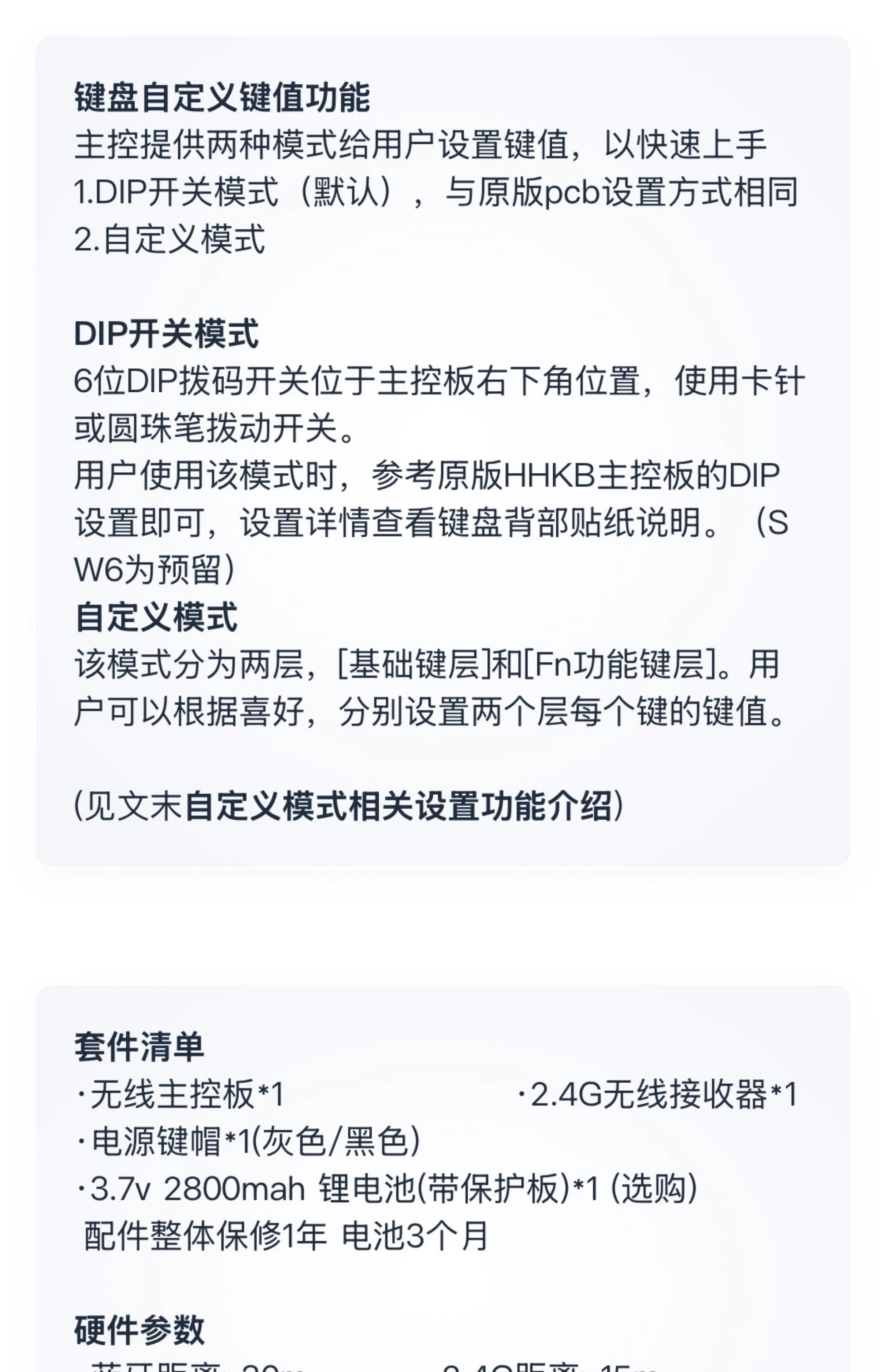
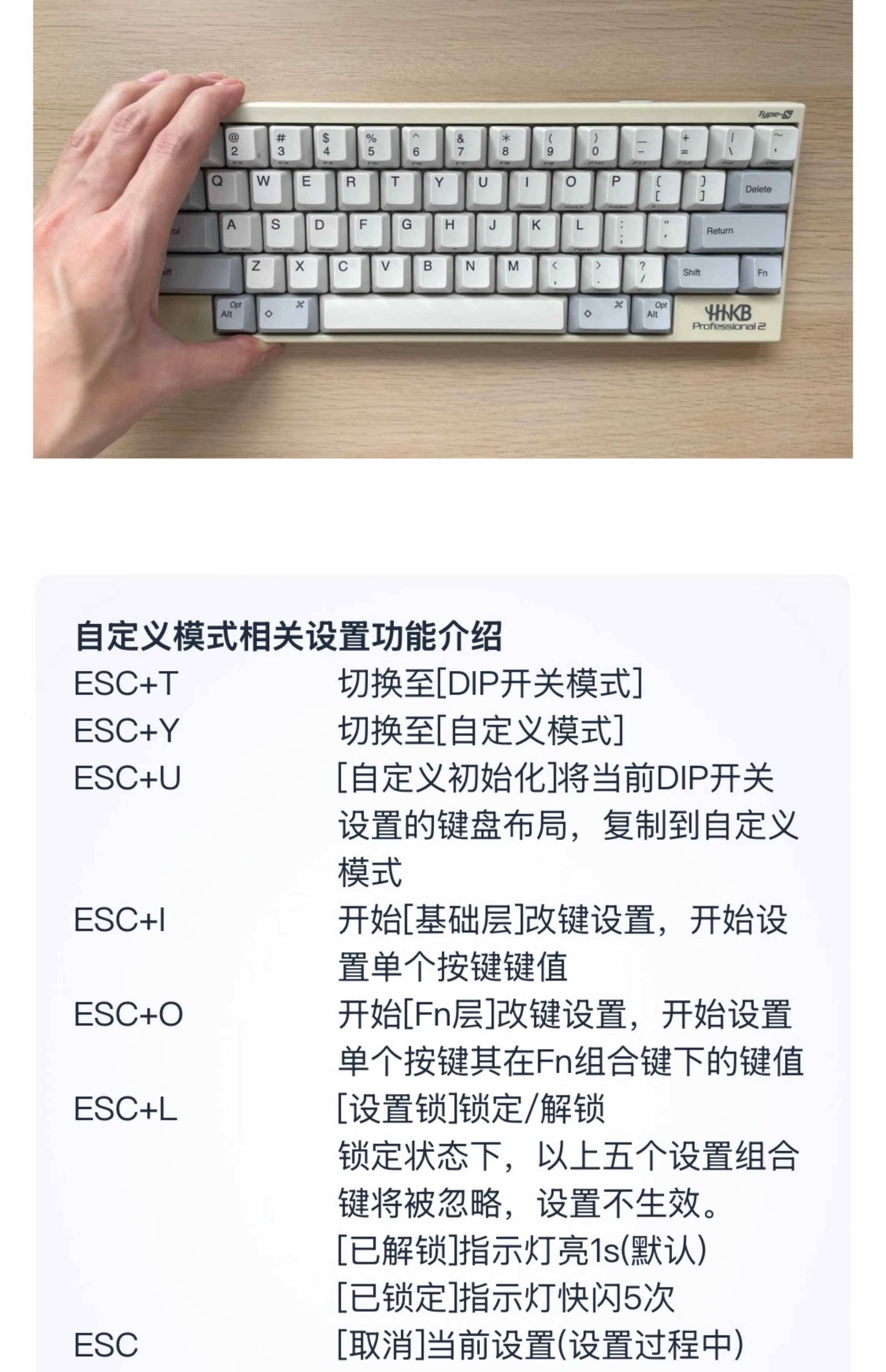
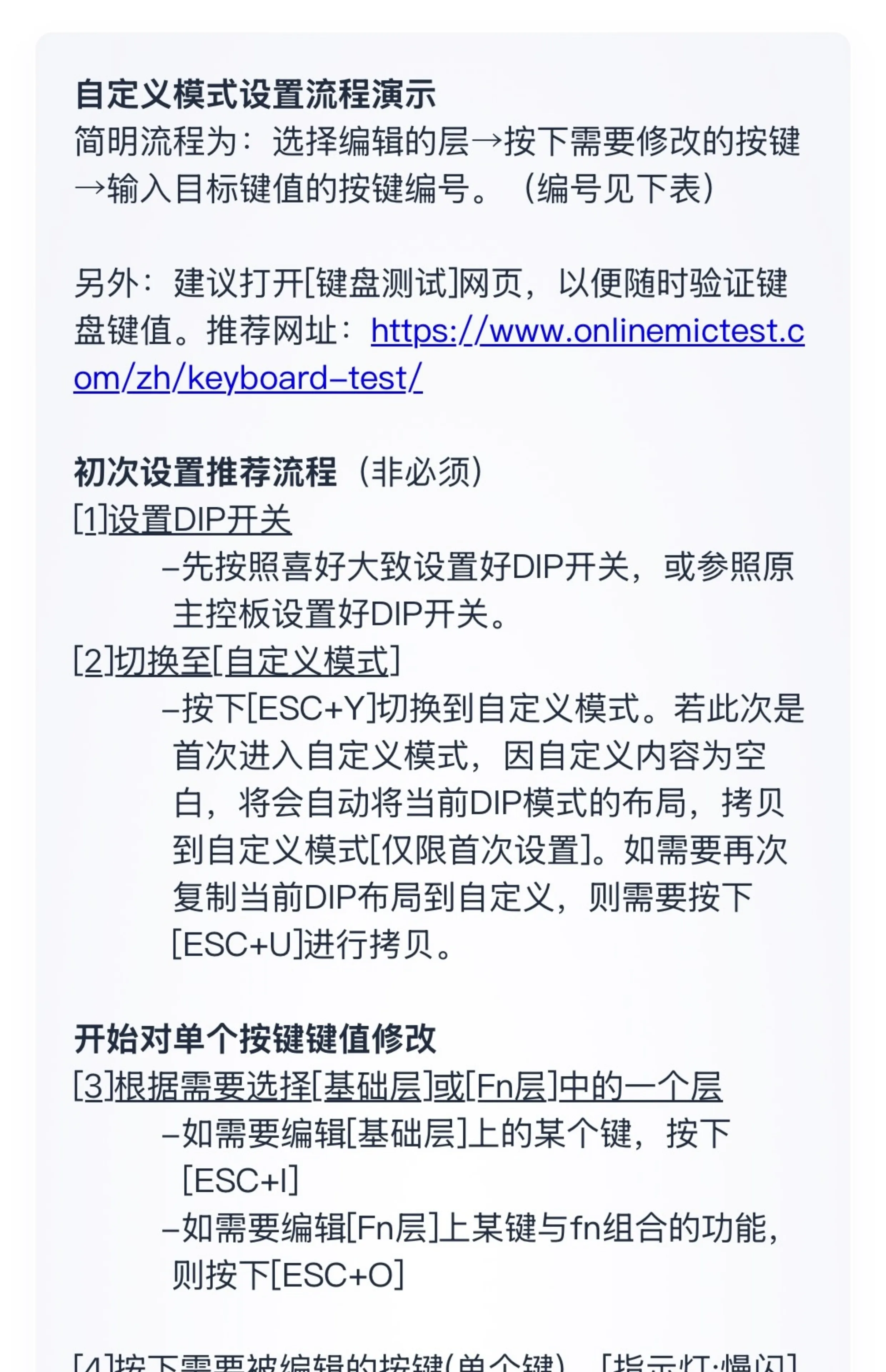
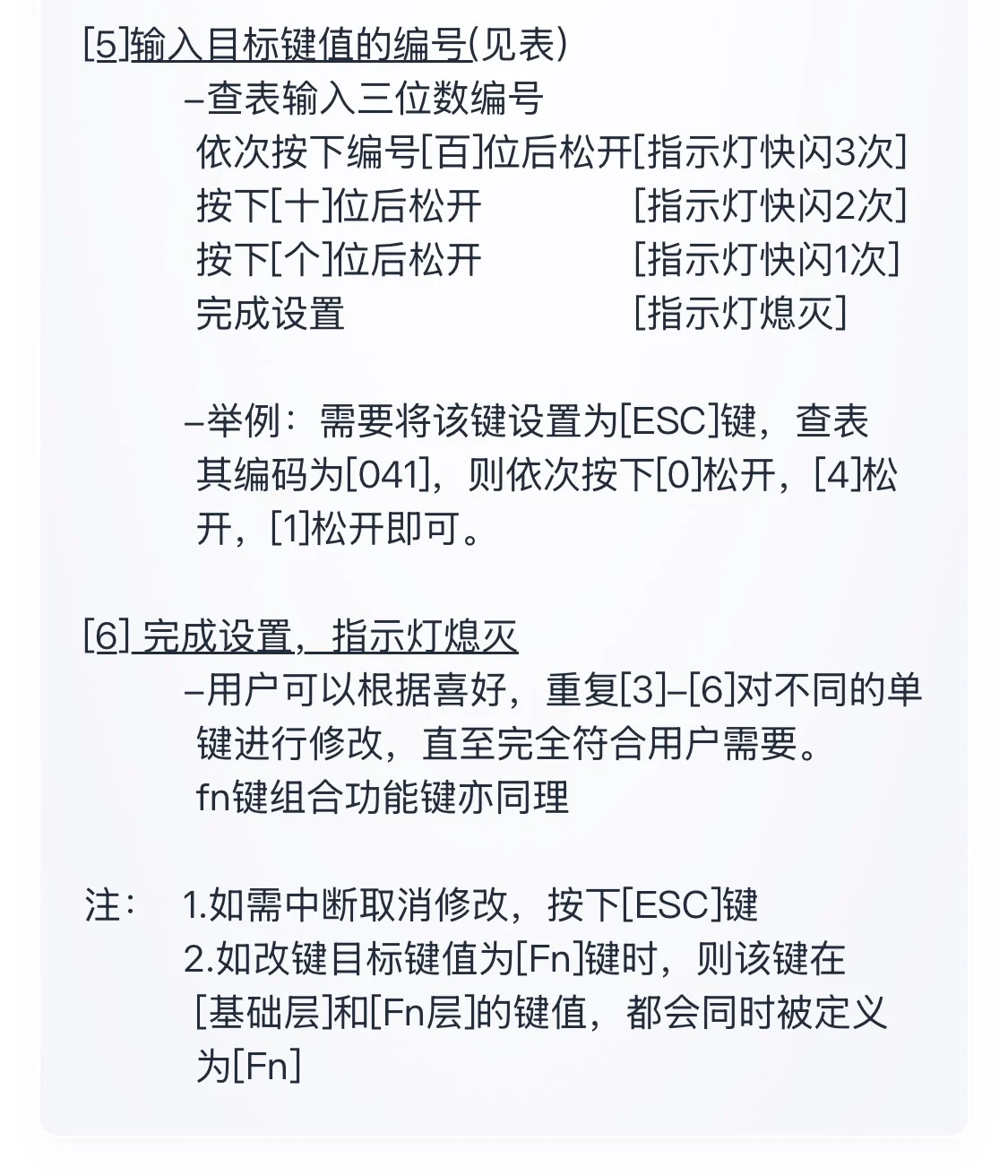
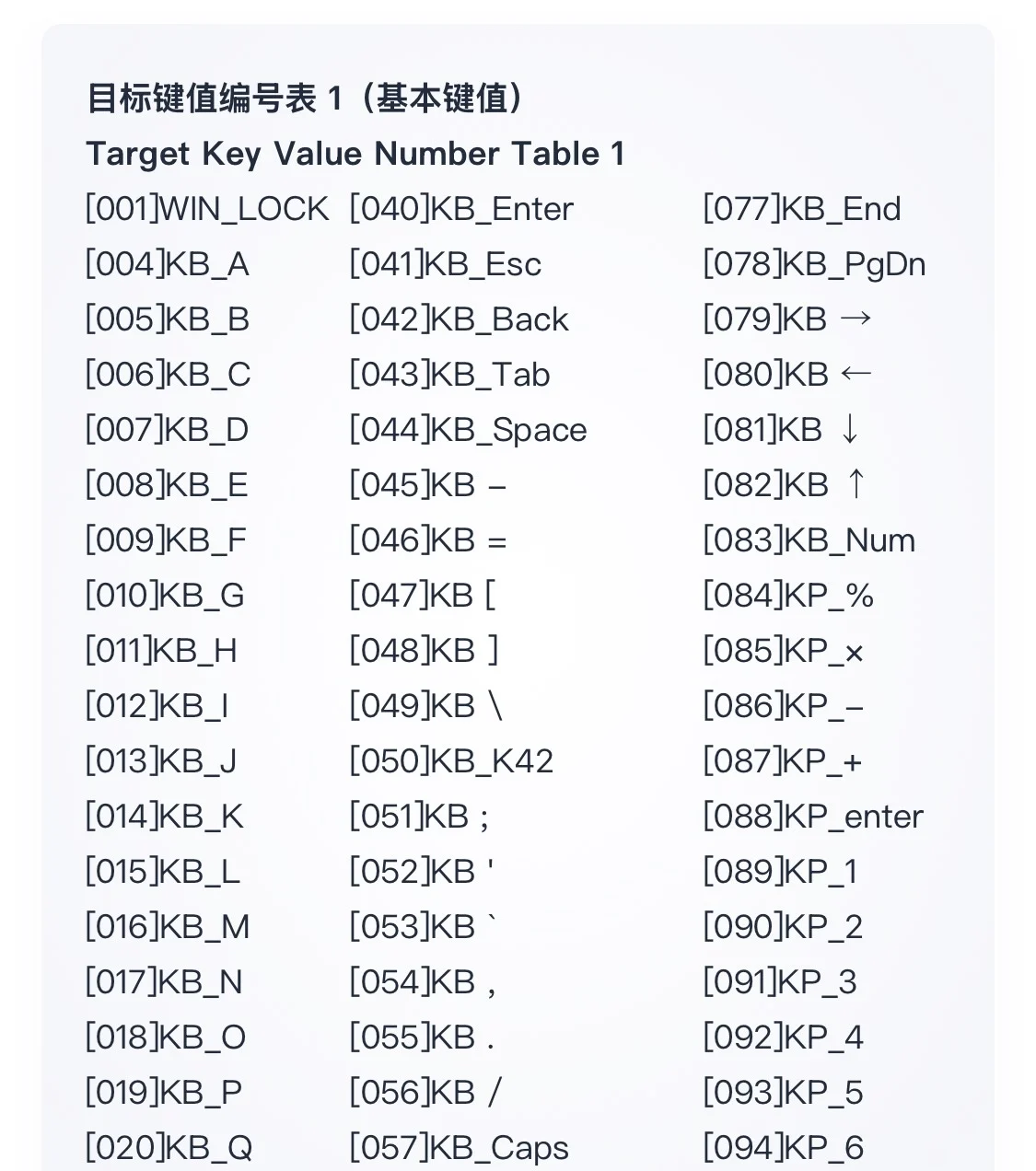
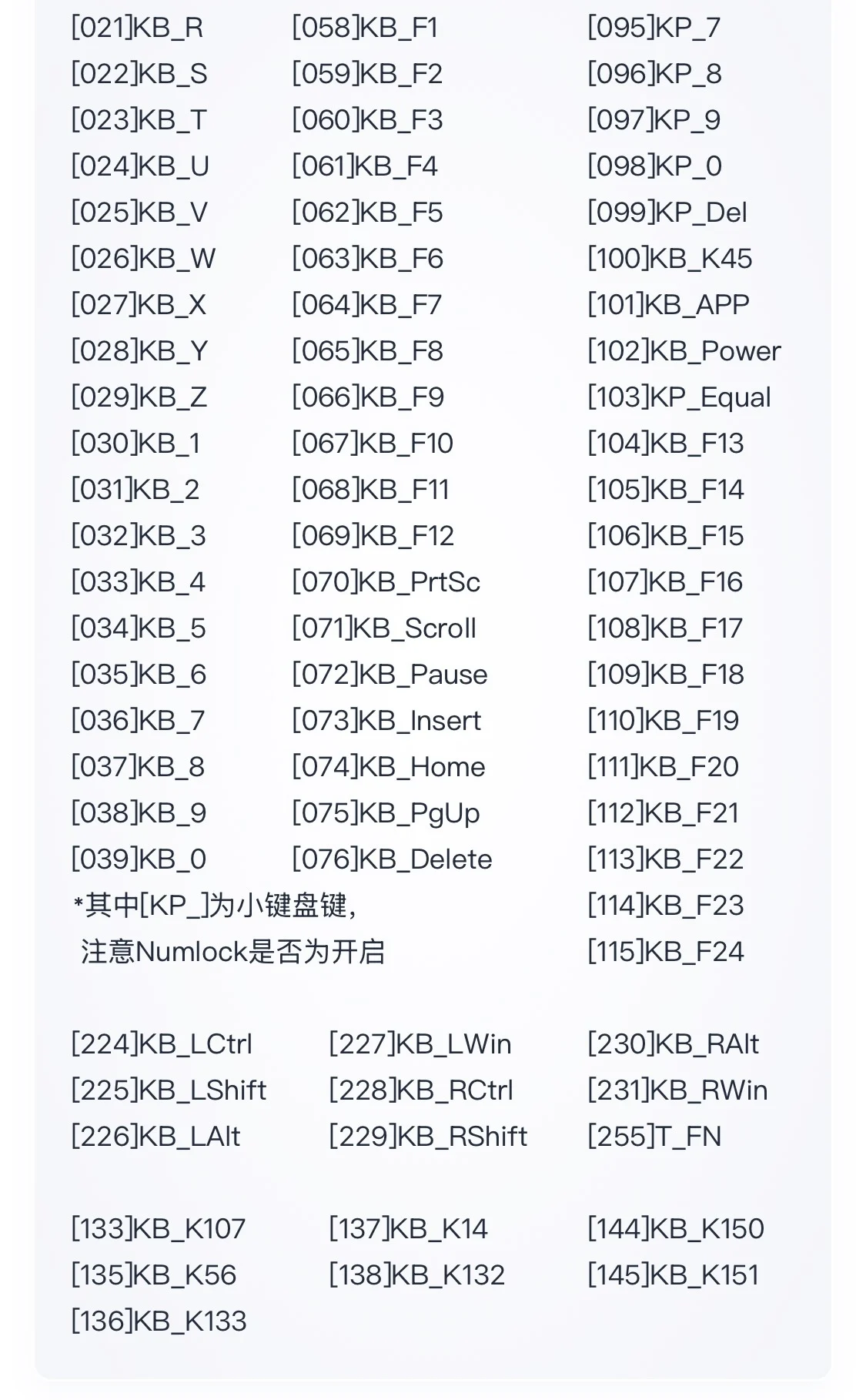
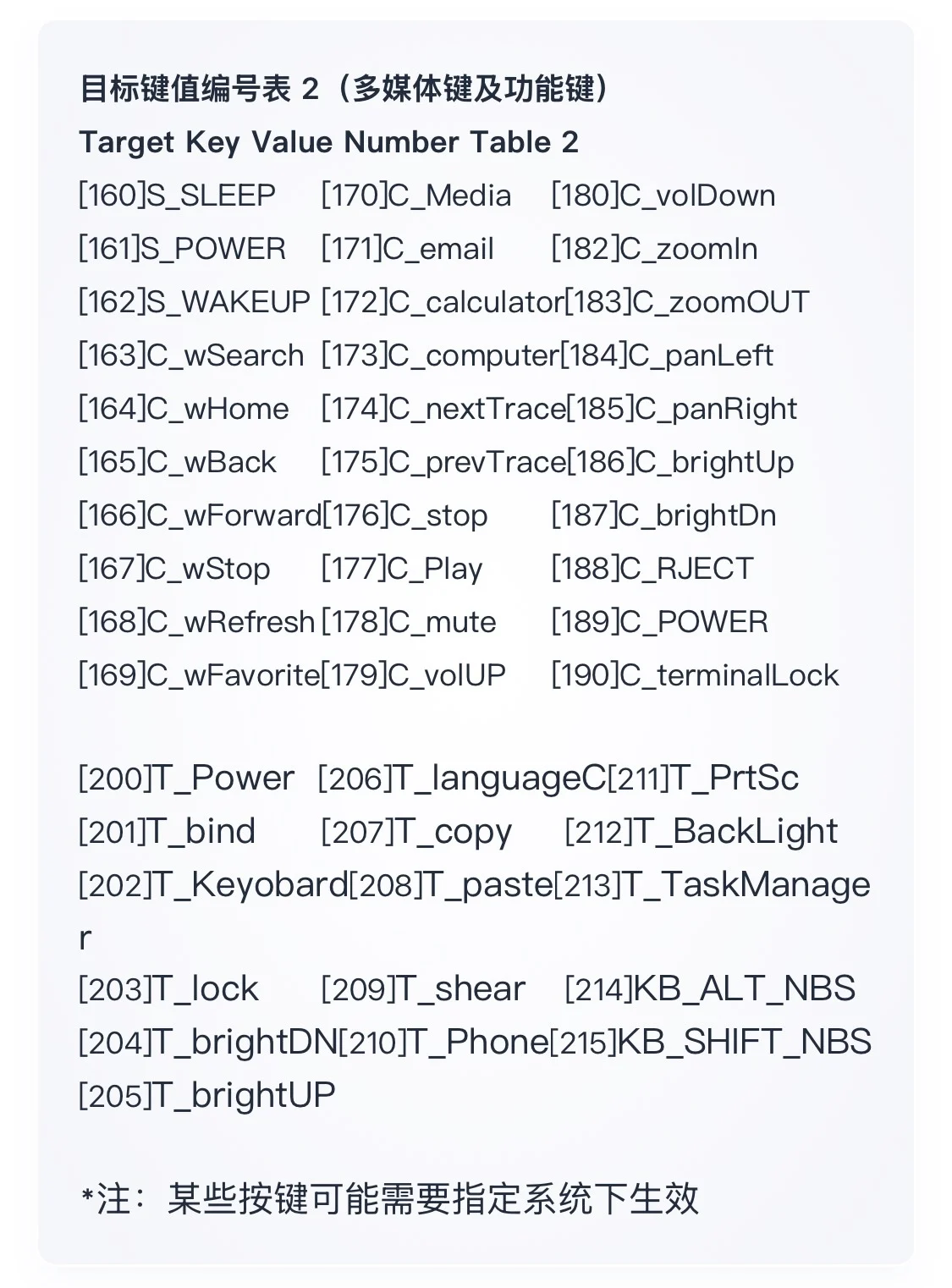
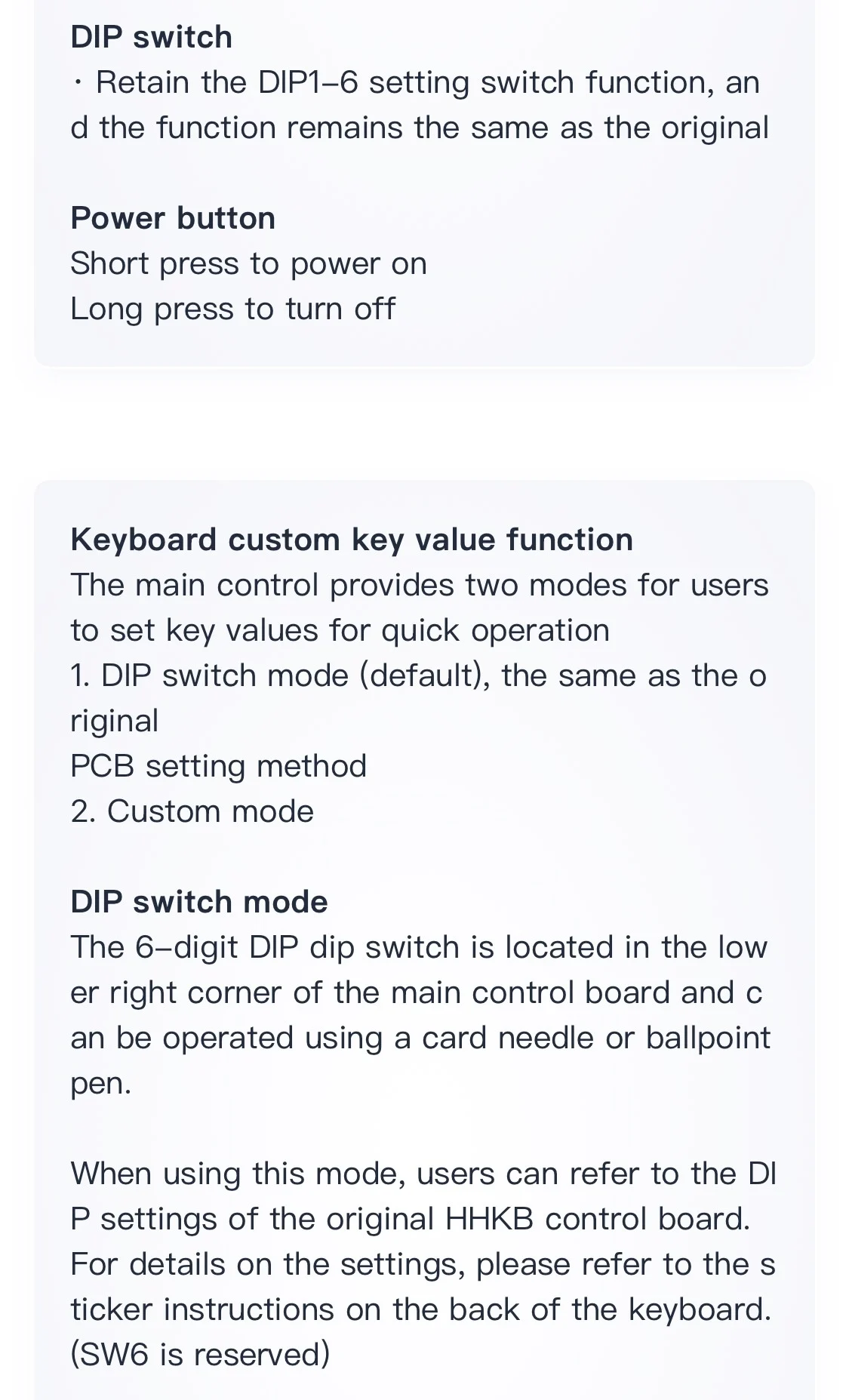
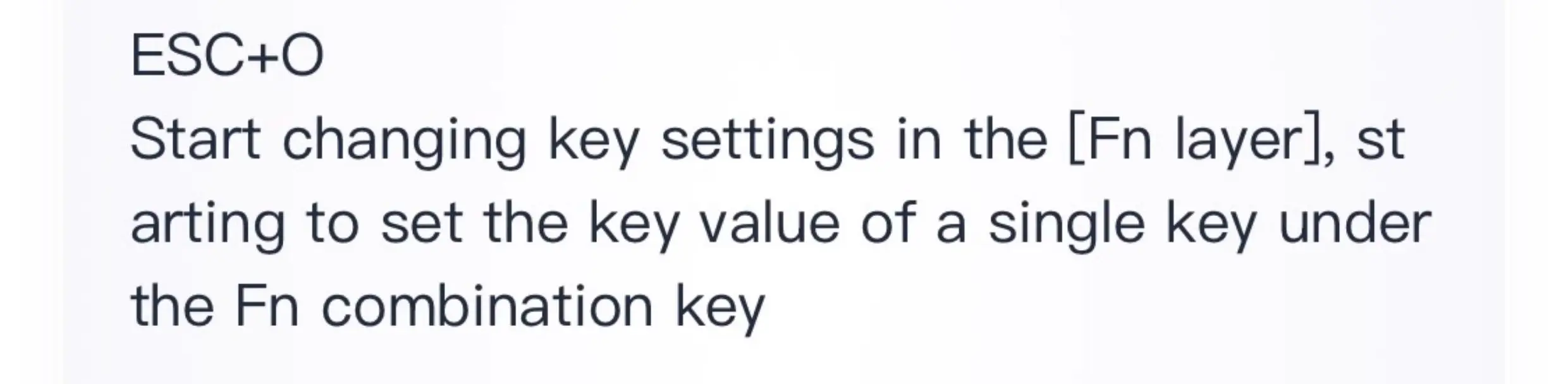
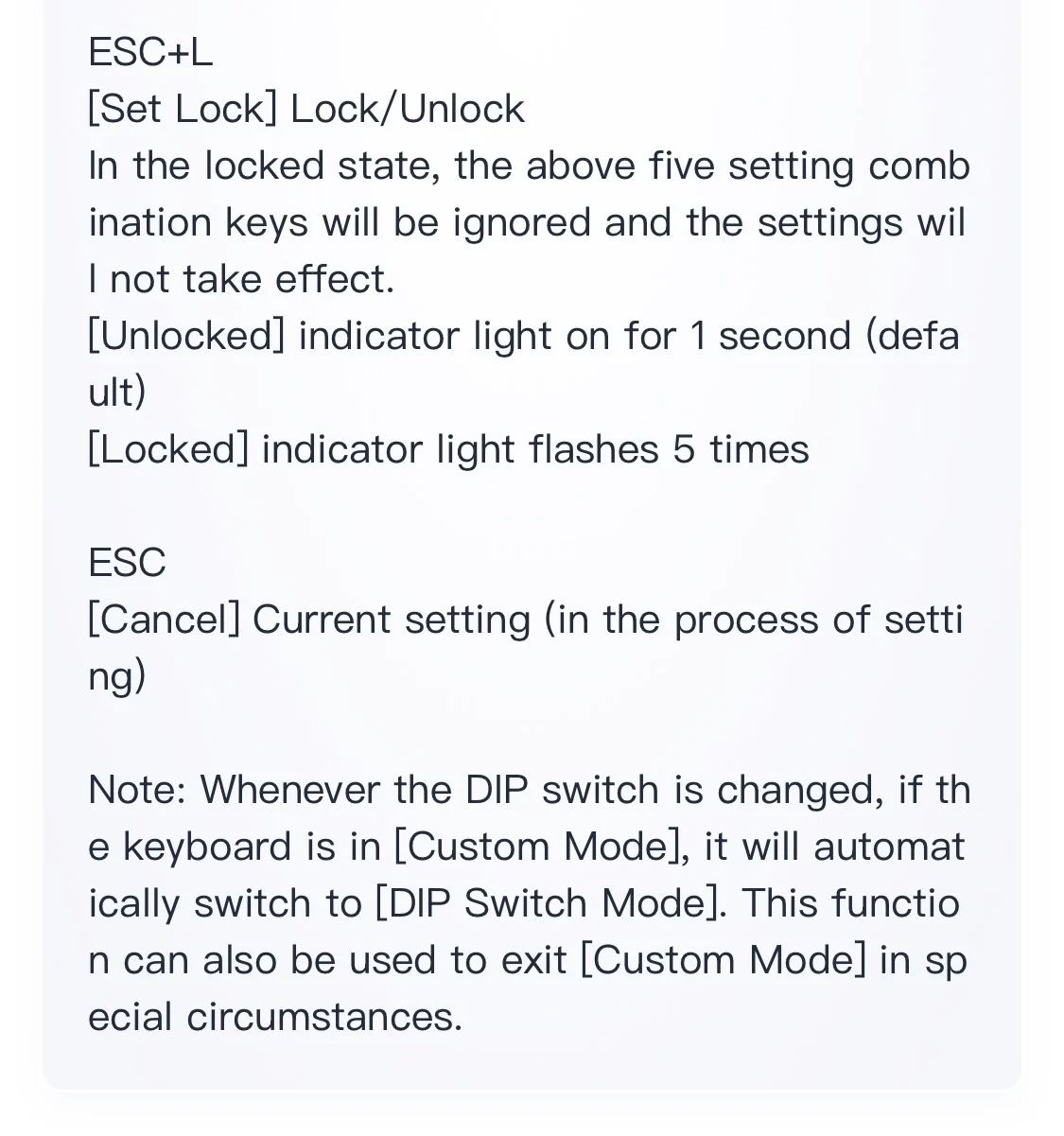
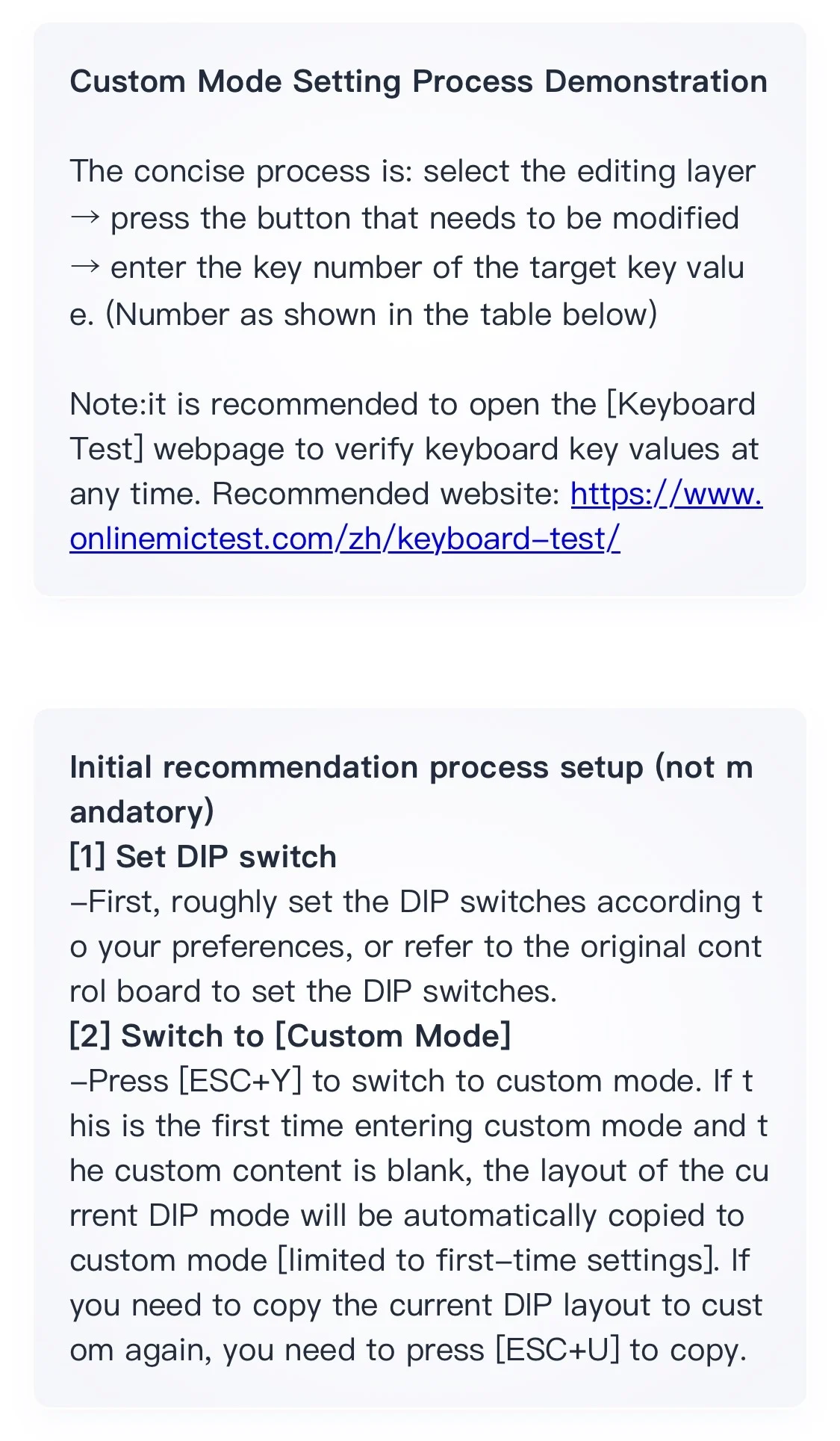
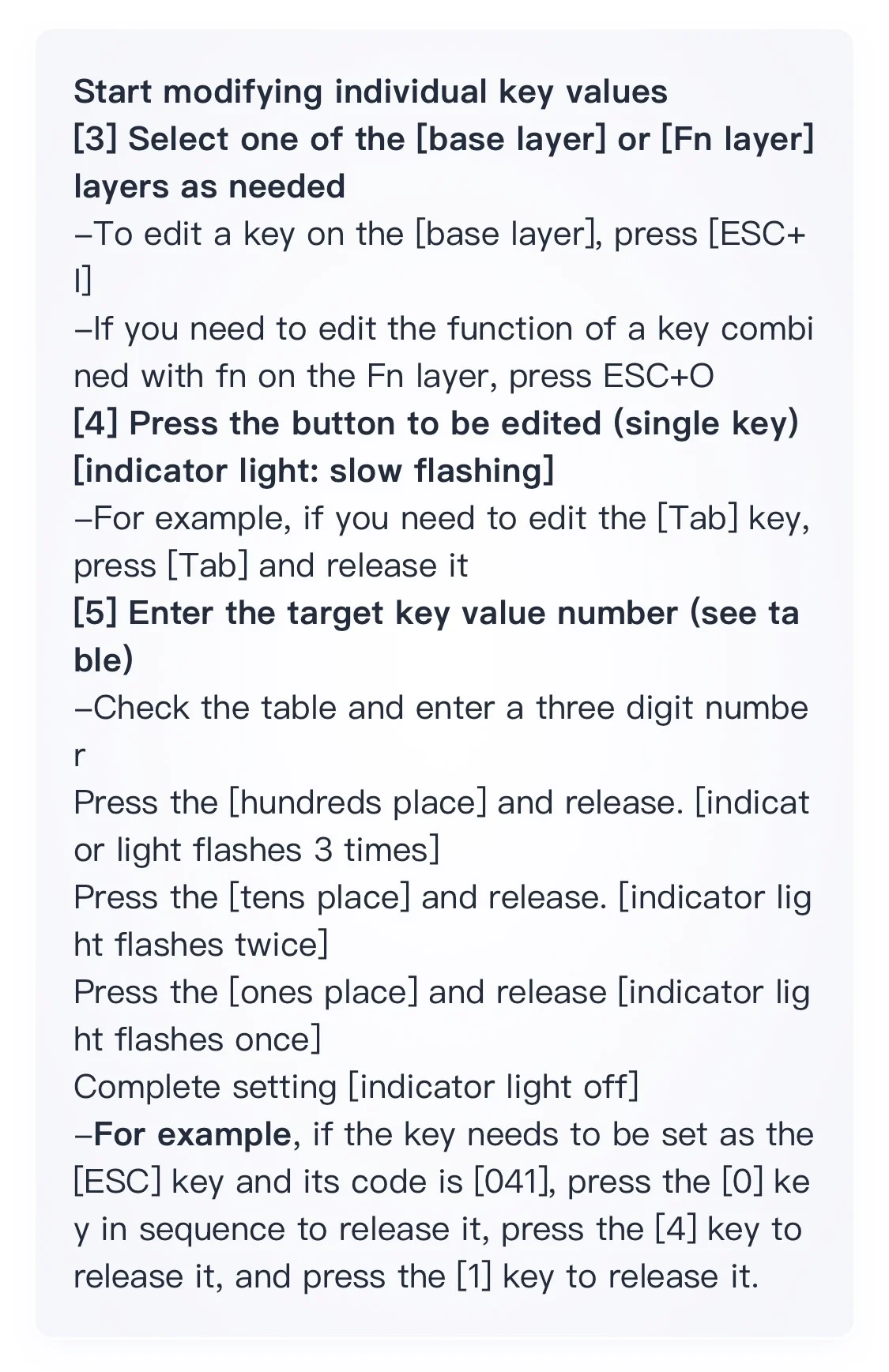
Keyboard custom key value function
The main control provides two modes for users to set key values for quick operation
1. DIP switch mode (default), the same as the original PCB setting method
2. Custom mode
DIP switch mode
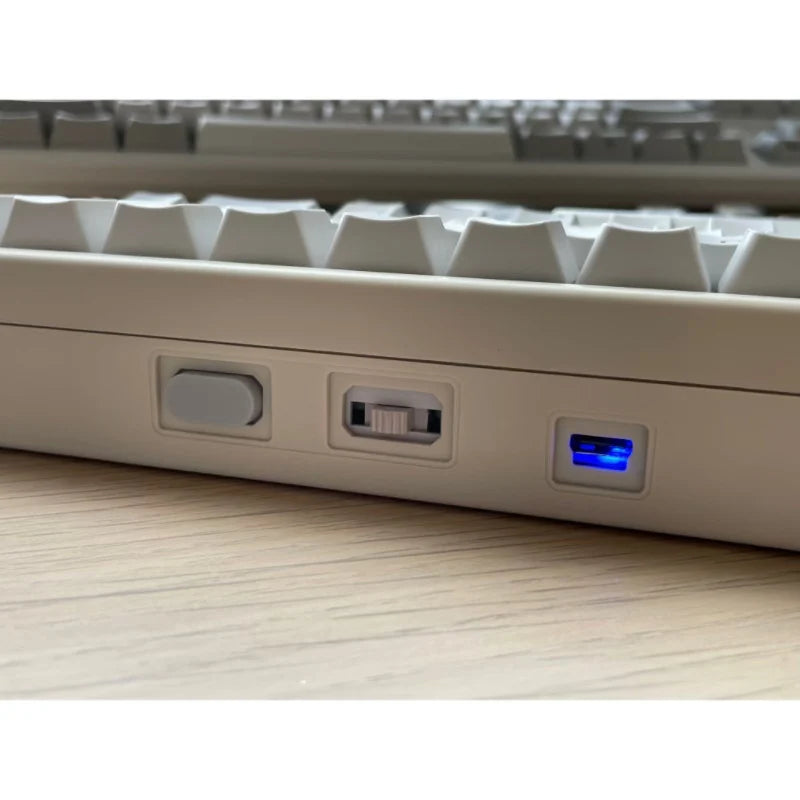
The 6-digit DIP dip switch is located in the lower right corner of the main control board and uses a card pin
Or a ballpoint pen toggle switch.
When using this mode, refer to the DIP of the original HHKB control board
Just set it up. For more details, please refer to the sticker instructions on the back of the keyboard. (S
W6 is reserved)
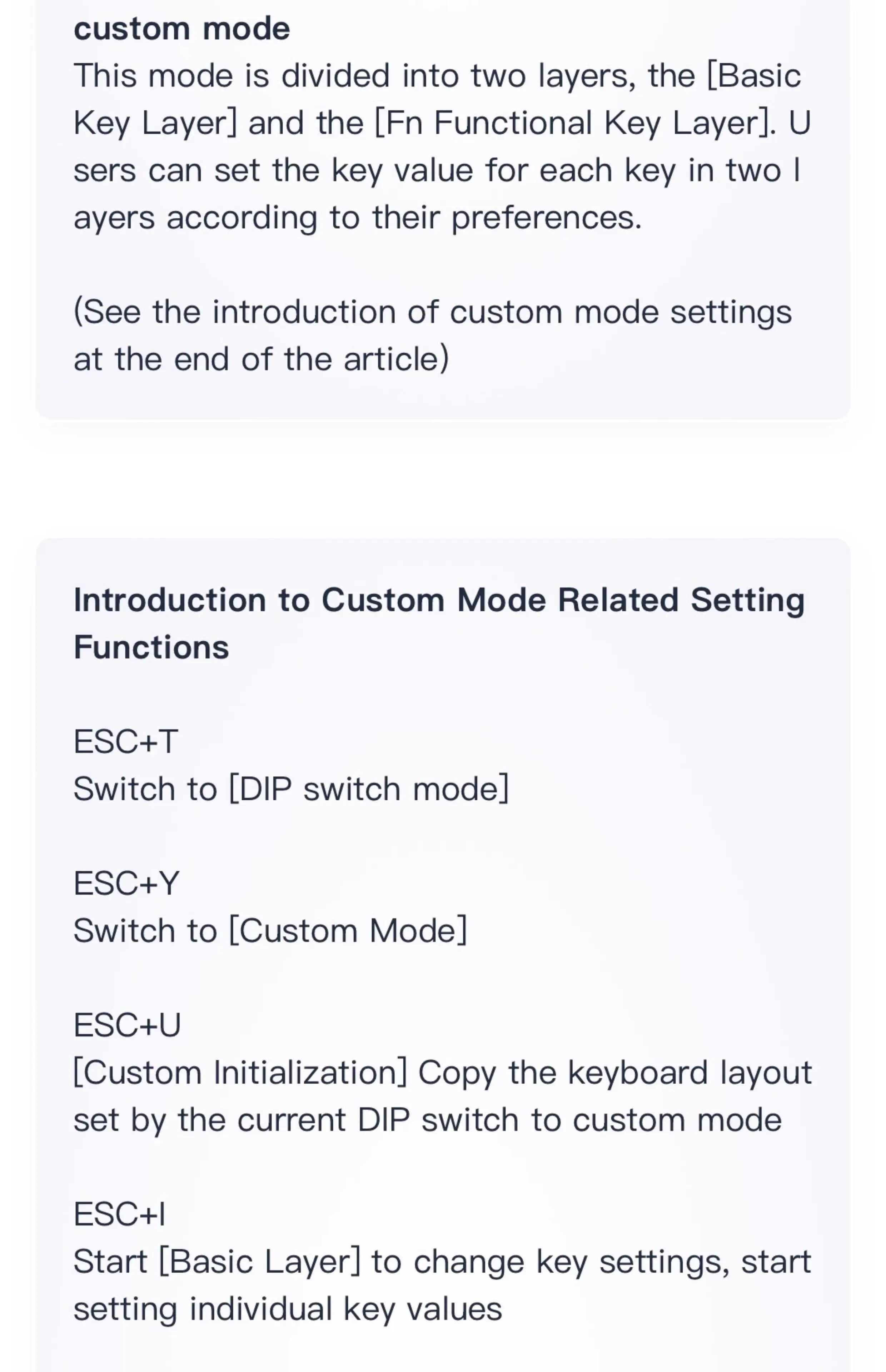
custom mode
This mode is divided into two layers, the [Basic Key Layer] and the [Fn Functional Key Layer]. use
Users can set the key value for each key in two layers according to their preferences.
(See the introduction of custom mode settings at the end of the article)
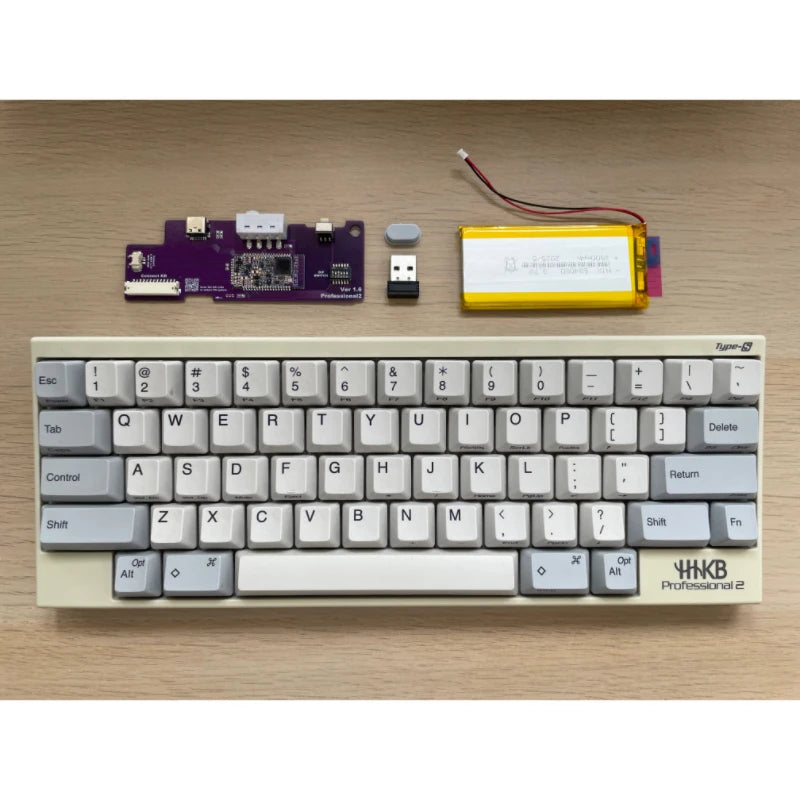
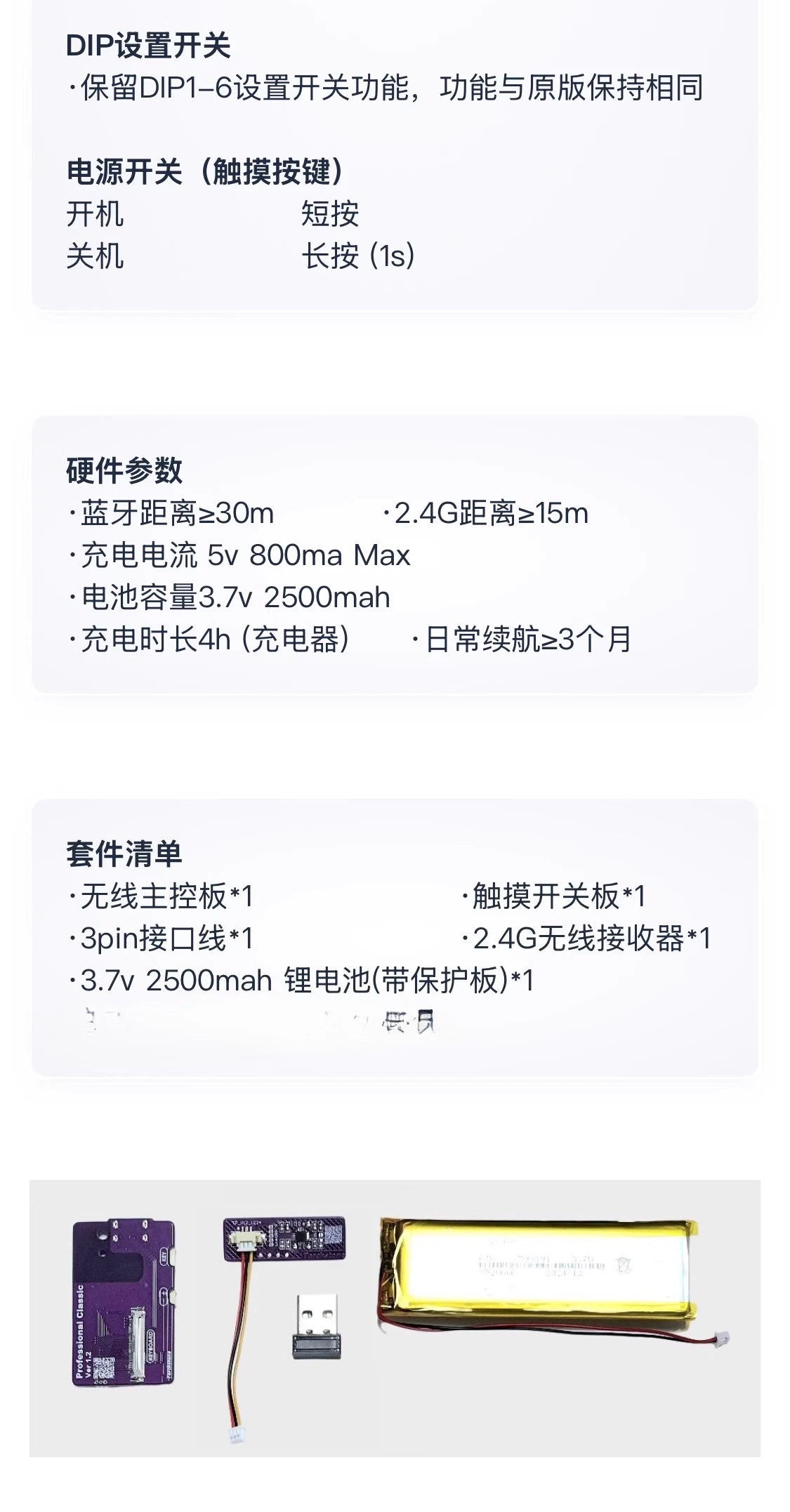
Kit List
·2.4G wireless receiver * 1
·Wireless control board * 1
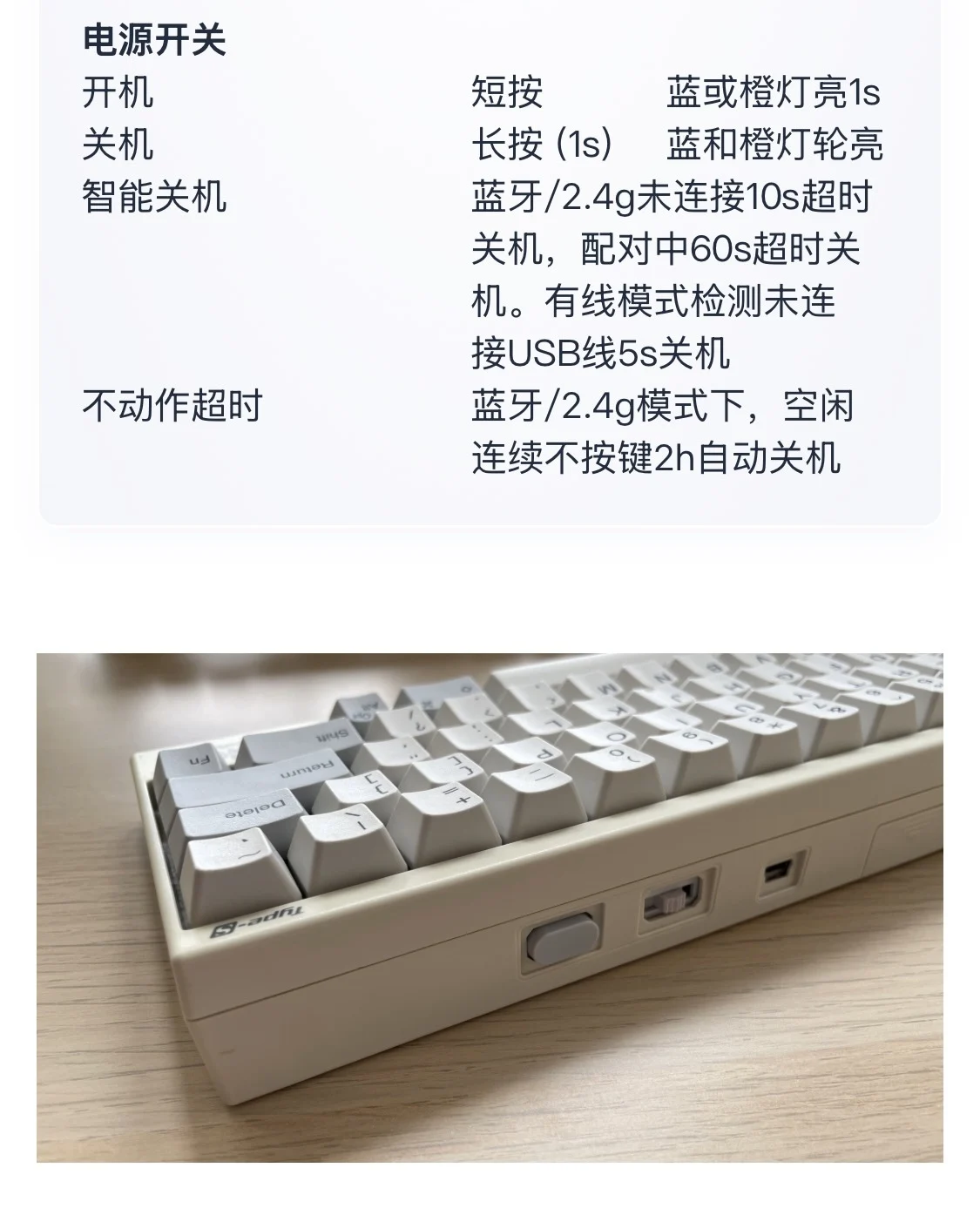
·Power keycap * 1 (gray/black)
·3.7v280mAh lithium battery (with protective plate) * 1 (optional)
Overall warranty for accessories: 1 year, battery: 3 months
Hardware parameters
Bluetooth distance ≥ 30m
2.4G distance ≥ 15m
·Charging current 5v 750ma Max
·Battery capacity 3.7v 2800mah
·Charging time 4h (charger)
·Daily battery life ≥ 1 month
Installation Guide
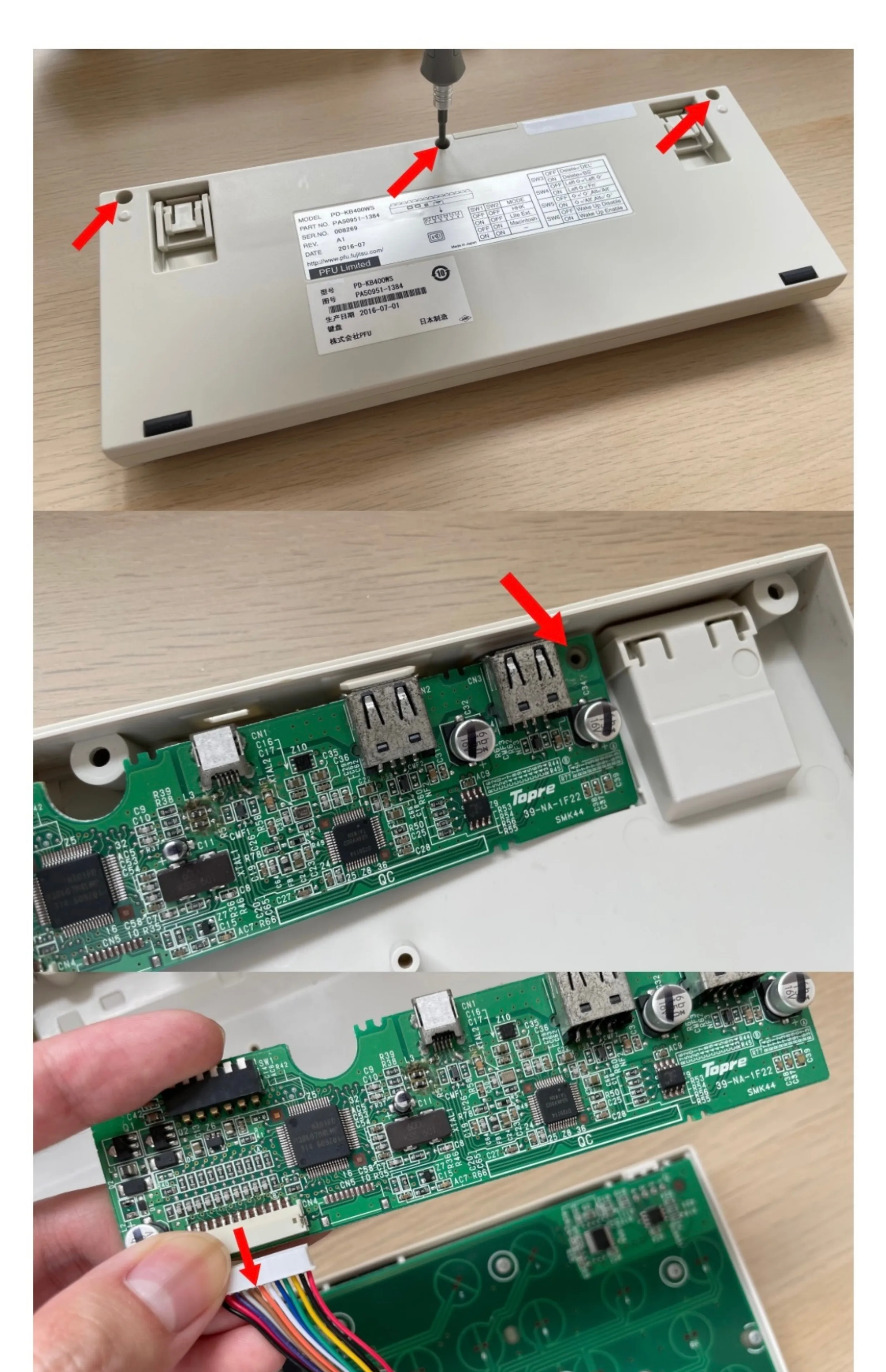
STEP 1
Remove the bottom shell screws * 3 with a 3mm cross screwdriver
Remove the PCB fixing screw * 1
Grasp the wire harness tightly at one end of the keyboard ribbon terminal and shake the terminal left and right
After loosening, pull out the cable to the outside
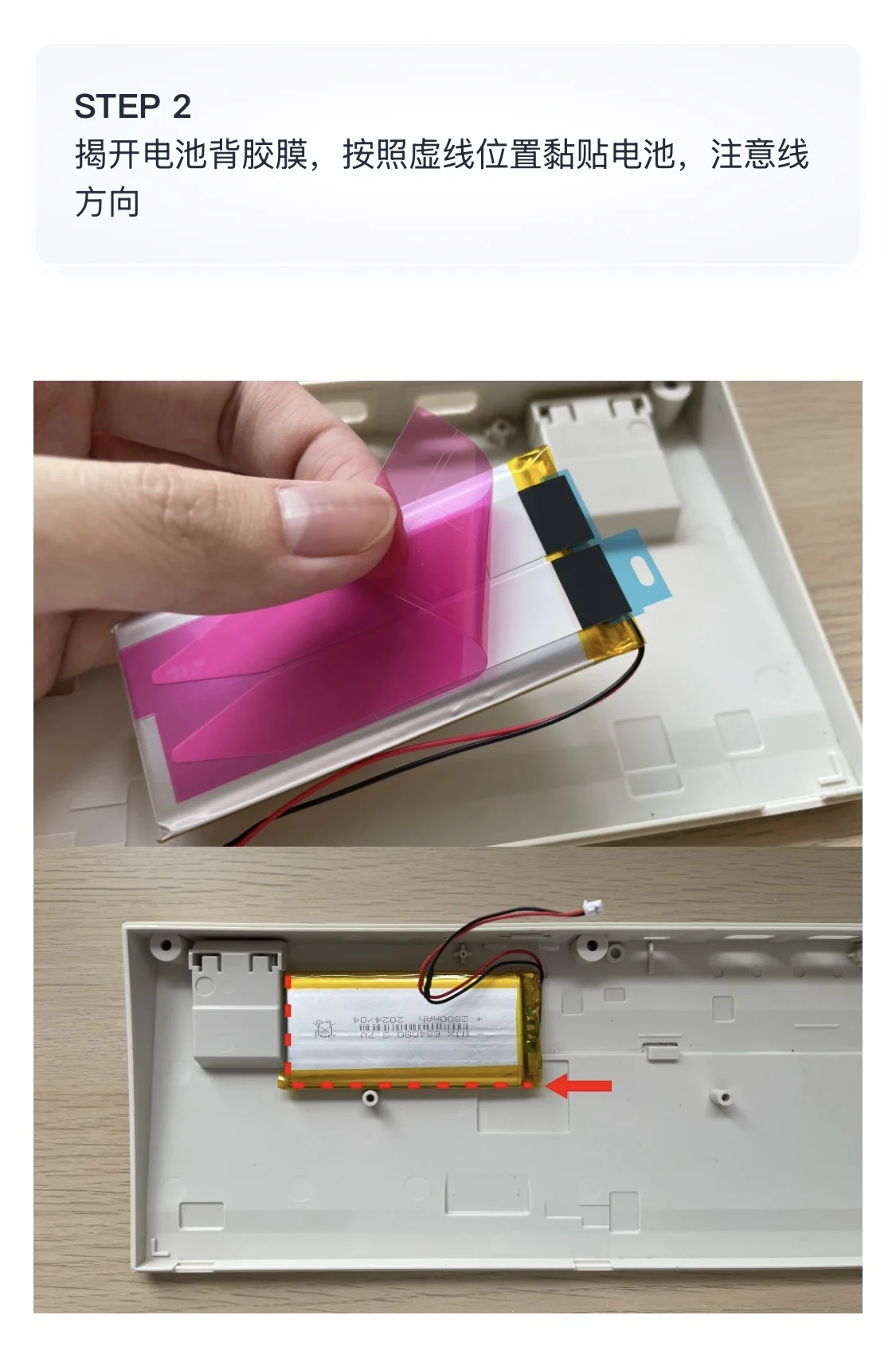
STEP 2
Uncover the adhesive film on the back of the battery and stick the battery according to the dotted line, paying attention to the line
direction
STEP 3
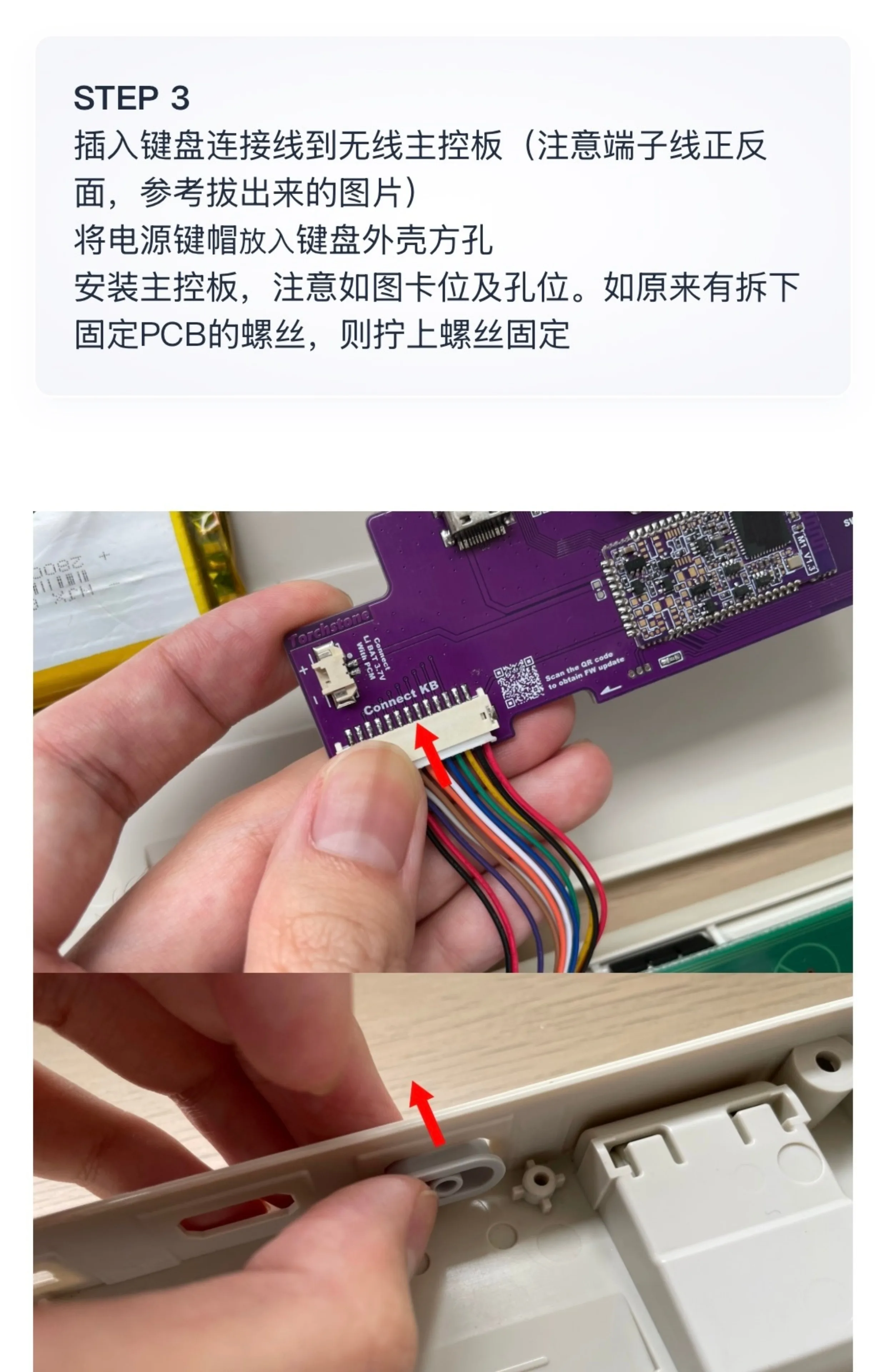
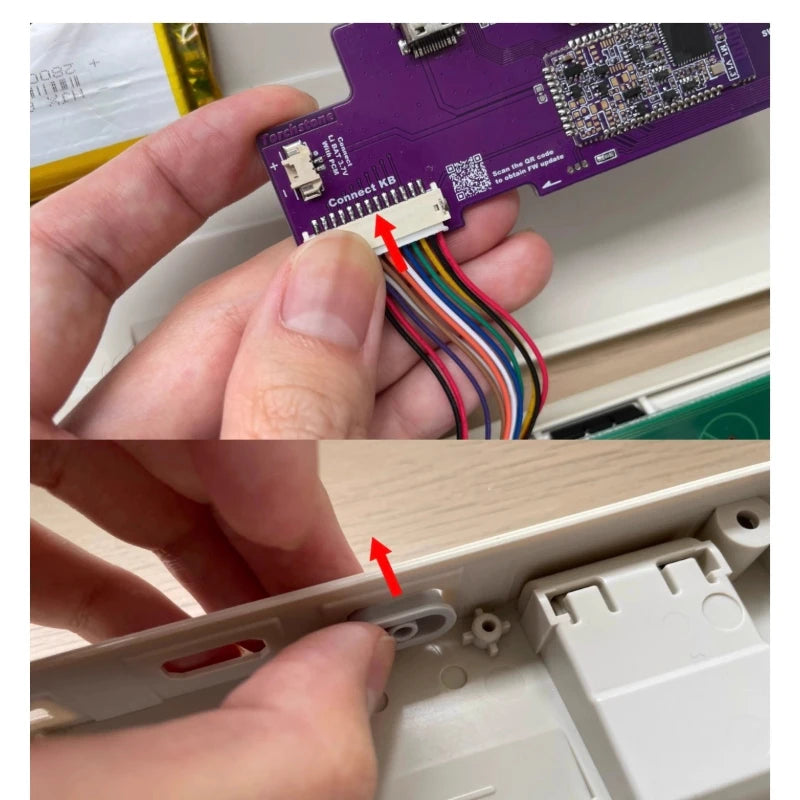
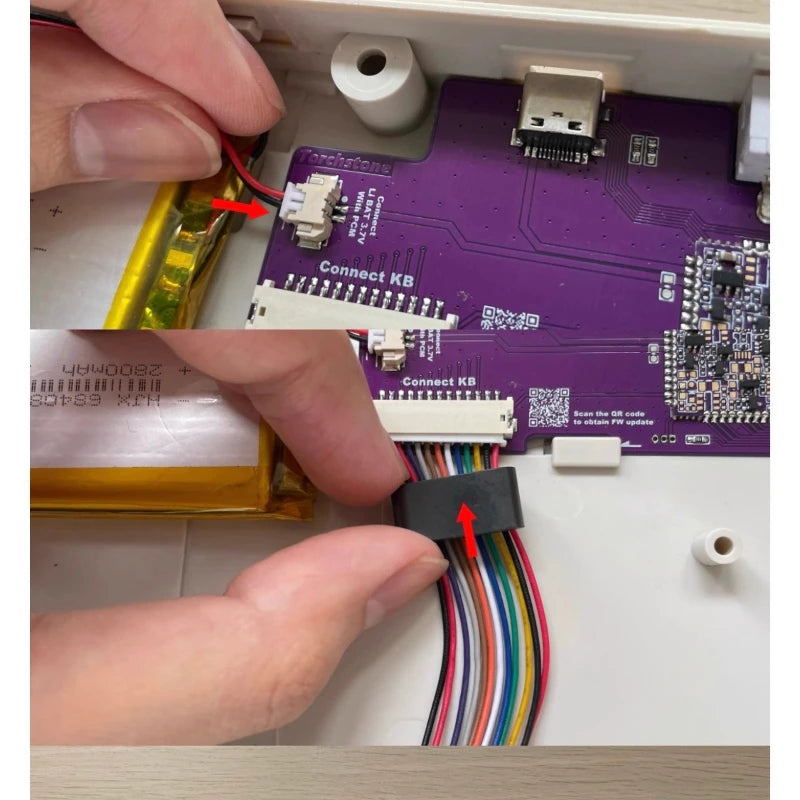
Insert the keyboard connection cable into the wireless control board (pay attention to the front and back of the terminal cable)
Face, refer to the extracted image)
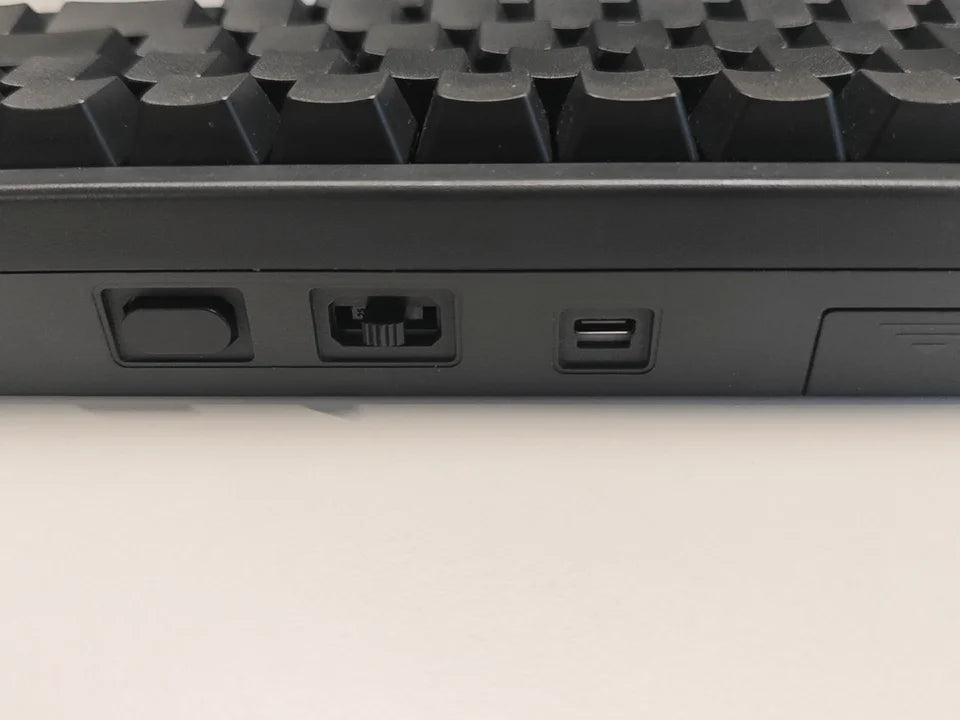
Insert the power keycap into the square hole of the keyboard casing
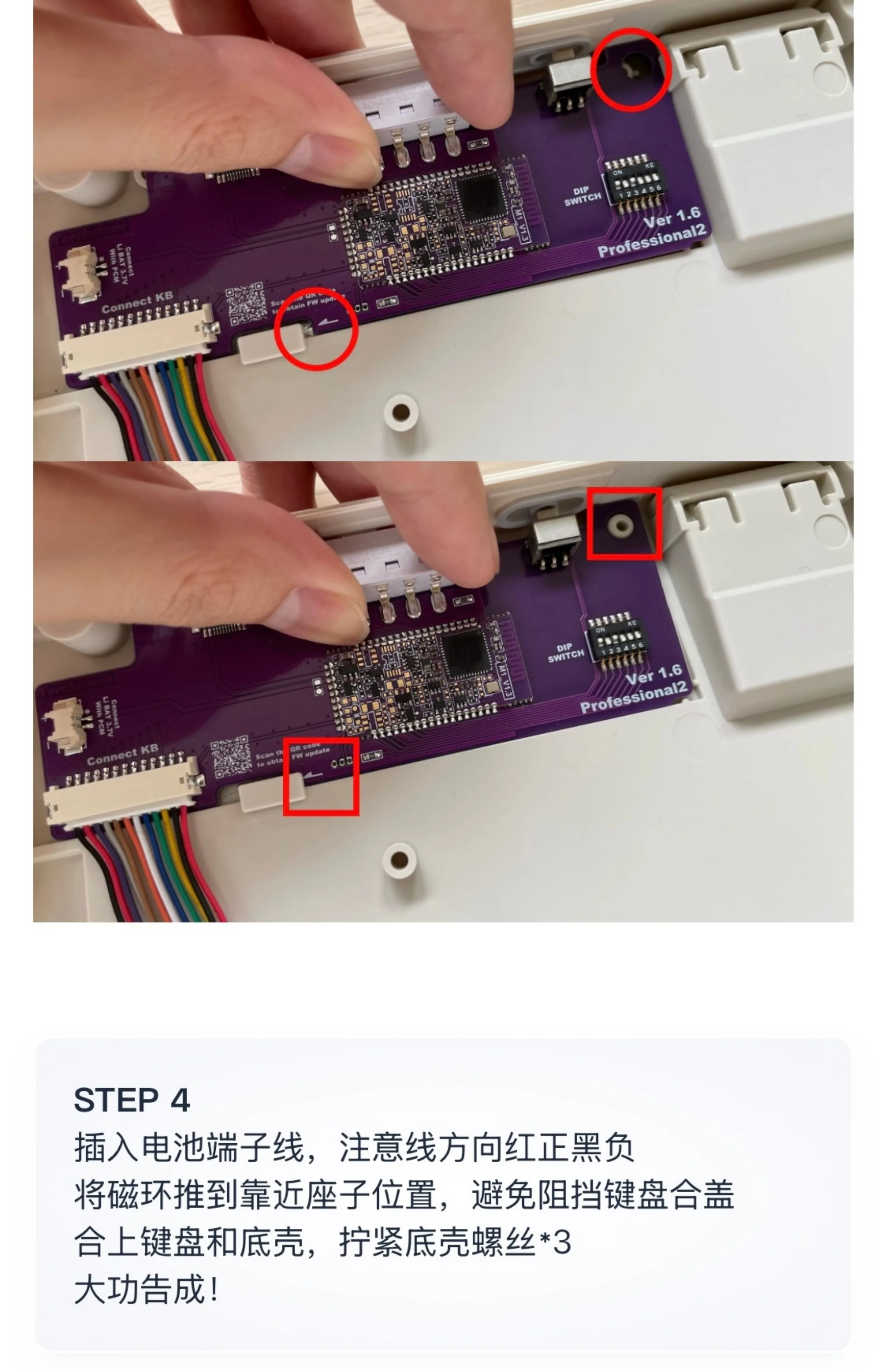
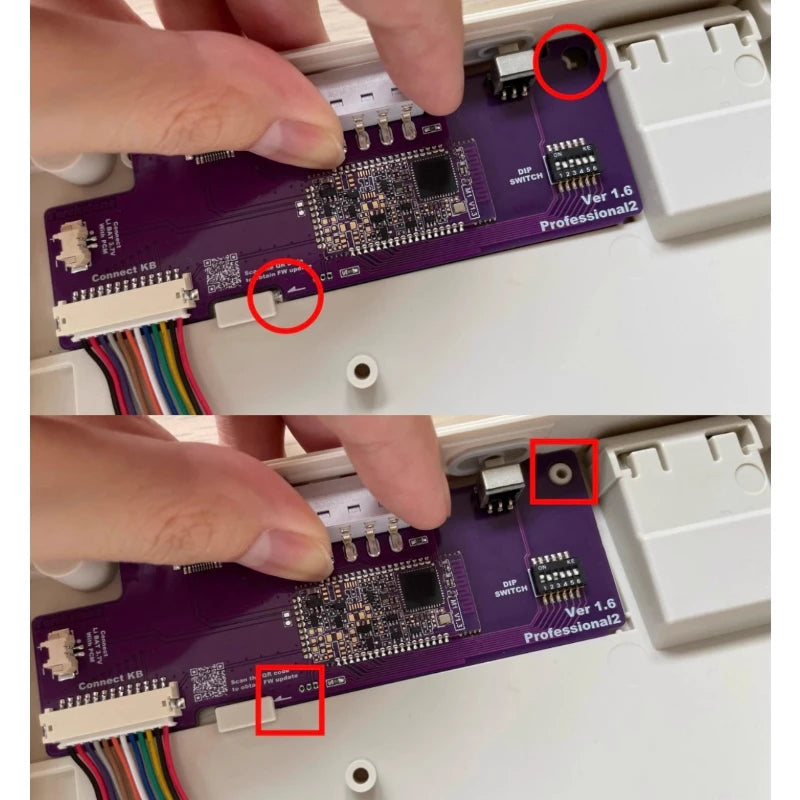
Install the main control board, paying attention to the card and hole positions as shown in the diagram. As originally removed
To fix the PCB, tighten the screws to secure it
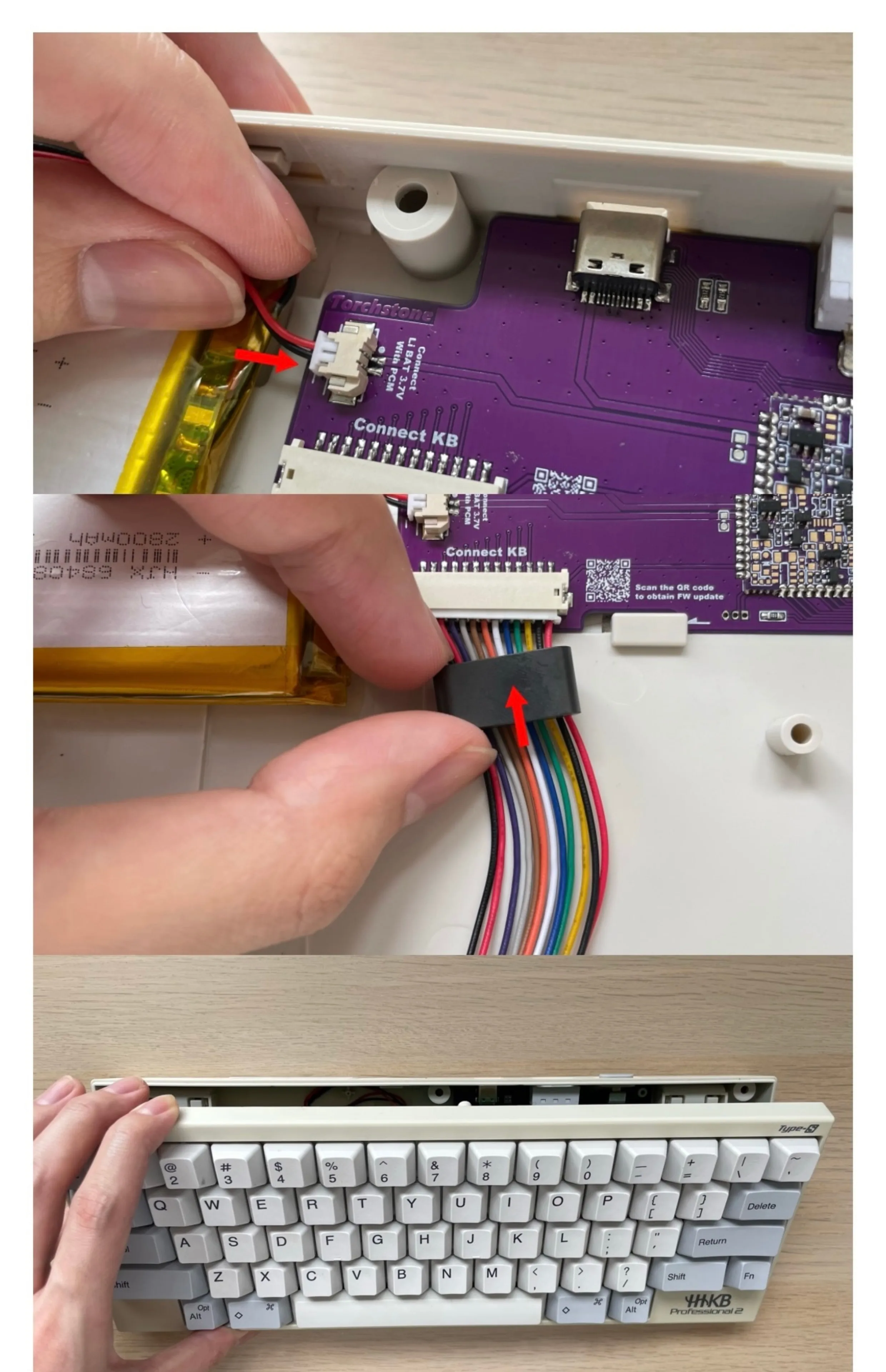
Insert the battery terminal wire, paying attention to the direction of the wire being red, positive, black, and negative
Push the magnetic ring close to the seat position to avoid blocking the keyboard cover
Close the keyboard and bottom shell, tighten the bottom shell screws * 3